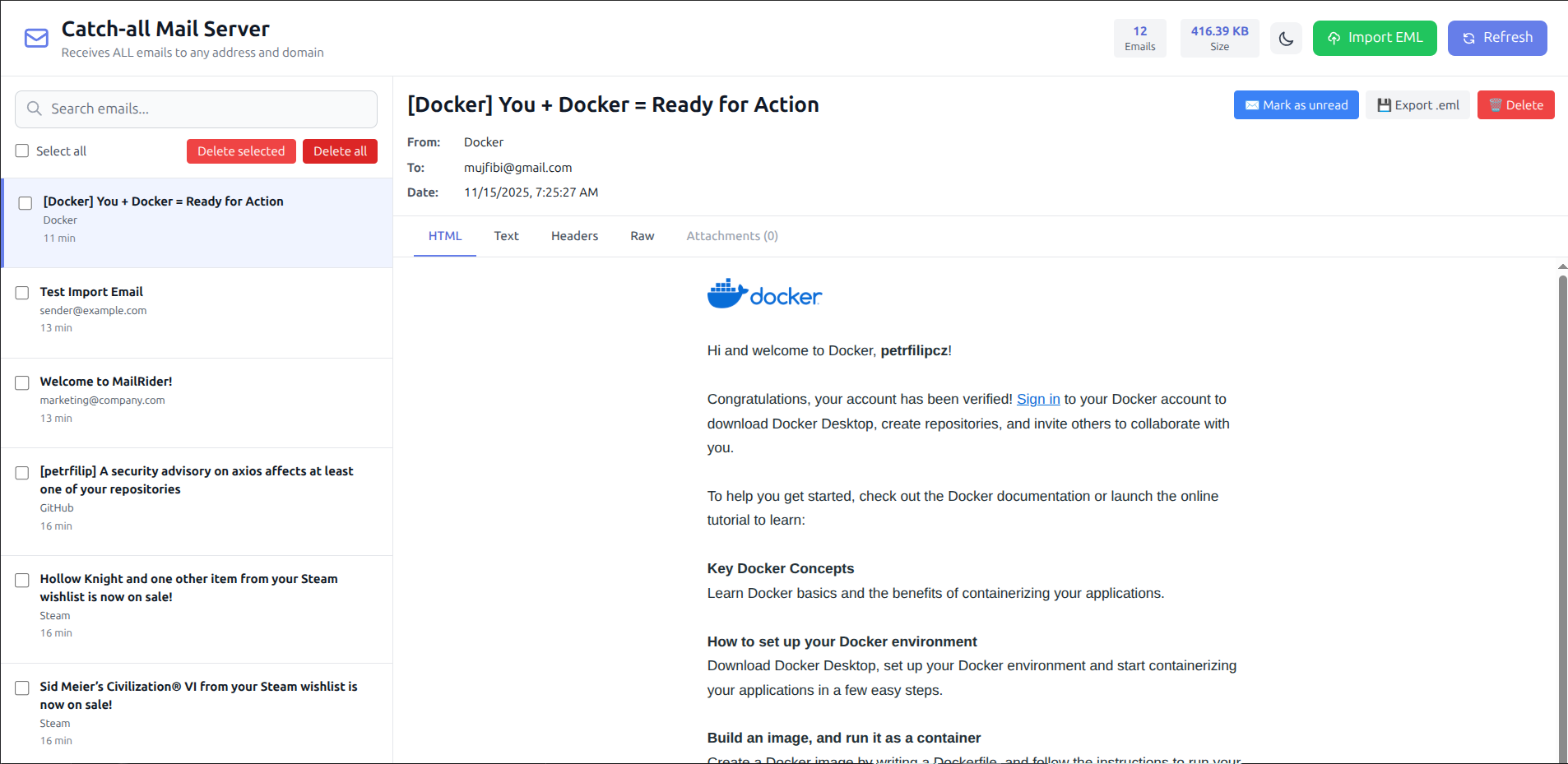
Clean, modern Web UI for viewing and managing test emails
Universal SMTP + IMAP Server for Local Development
Routes ALL email addresses and domains to a single inbox. Perfect for testing multi-tenant applications and email workflows.
Clean, modern Web UI for viewing and managing test emails
Accepts emails to ANY address and domain. All emails route to one inbox for easy testing.
One command to start. Docker-based, no complex configuration. Up and running in seconds.
Built-in web interface for viewing emails, headers, attachments, and HTML content.
SMTP (port 2587) and IMAP (port 143) with standard Maildir format. Works with any email client.
Emails persist between container restarts. Volume support for keeping test data.
Test multi-workspace routing, email workflows, and notification systems without real mail servers.
docker run -d \
  -p 2587:2587 \
  -p 1143:143 \
  -p 8082:8082 \
  -v mailrider-data:/var/mail/faktron.local \
  --name mailrider \
petrfilip/mailrider:latest# Save as docker-compose.yml
version: '3.8'
services:
mailrider:
image: petrfilip/mailrider:latest
ports:
- "2587:2587"
- "1143:143"
- "8082:8082"
volumes:
- mailrider-data:/var/mail/faktron.local
restart: unless-stopped
volumes:
mailrider-data:docker-compose up -decho -e "From: test@example.com\nTo: user@anydomain.com\nSubject: Test\n\nHello!" | curl --url "smtp://localhost:2587" --mail-from "test@example.com" --mail-rcpt "user@anydomain.com" --upload-file -All emails sent to any address will appear in the Web UI and IMAP inbox!